How to Add Images in Video and Keep Original Sound
Add static images to videos to make them more engaging and gripping. With the Clideo video editing tool, it takes just a few minutes.

The best visuals are never simple: they are complex video projects that include various images, background music, (optionally) a voiceover, video overlays, and even picture-in-picture effects. Sometimes photos are just an additional element of artistic expression, but you may also need to replace your footage with photos due to low video quality or other issues.
Whatever the case, you'll need a user-friendly, reliable, and simple video editor to work with your video content. In this article, we'll give you a general overview of when you might need to add images to videos and explain the details of the process. You'll get acquainted with Clideo's online video editor and learn best practices and tips.
When do you need to add images but keep audio?
You might need to add photos or other visuals to your video clip while keeping an initial soundtrack or adding music, sound effects, or a voiceover. That's quite common when the sound is no less important (or even more important) than the footage. For example, in educational videos, podcasts with a background image or a talking head, interviews, "how-tos", and other types of informational content.
Other cases may also include:
- Deteriorated footage quality (or its complete absence).
- Replacing parts of the video due to privacy or copyright concerns.
- Adding brand logos.
- Covering watermarks.
- Using the insert shot technique to showcase products or services.
- Grabbing the audience's attention and increasing engagement on social media posts.
- Creating slideshows, etc.
How to replace a video with images and keep the audio
You can use Clideo's online video editor to remove, replace, alter, or edit video online without affecting your soundtrack.
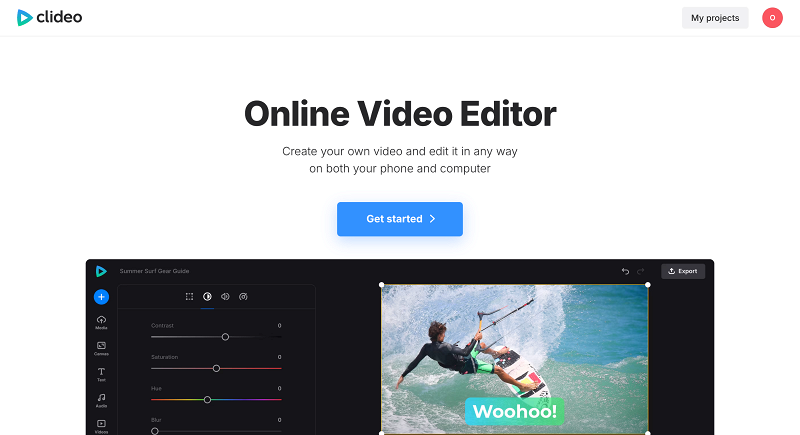
Follow these steps to replace a video or part of it with images and keep the audio:
-
Upload your assets
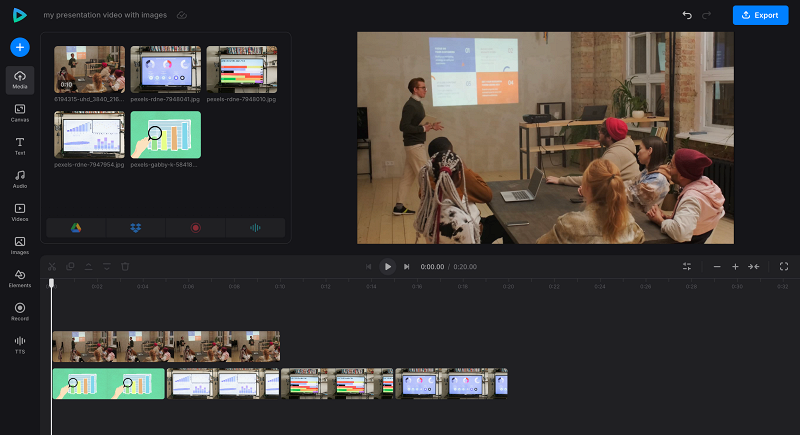
Open Clideo's Online Video Editor tool in any browser and upload your files from your device. You can add as many pictures, photos, or other files as you need. Most common file formats are supported. Clideo also integrates with cloud storage services like Google Drive and Dropbox, so you can upload your assets from there as well.
-
Extract the sound
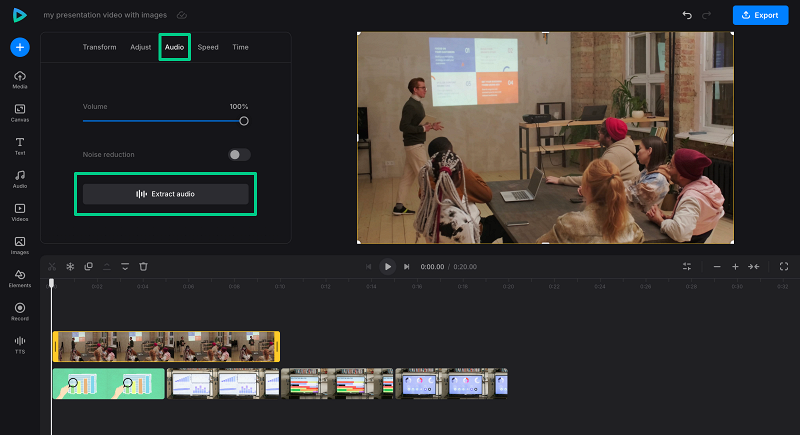
As we need the audio from a video recording to stay intact, we will extract it as a separate audio track. To do that, click the footage to open its settings, then hit the "Audio" tab and click the "Extract audio" button.
-
Add photos to video
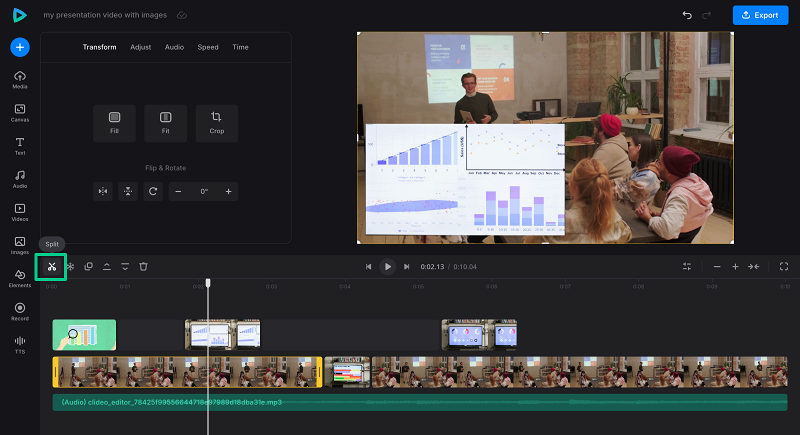
Now let's add photos to a video. To overlay an image, drag and drop it onto a track above the main video clip. You can position your images anywhere on the video frame and set when they appear in your video. Or you can cut out parts of the video and fill the gaps with your photos, using the split option.
-
Edit and process the final video
You can add multiple photo overlays, adjust overlay settings such as opacity and brightness, and crop and resize your pictures. It is also possible to change the aspect ratio of your video to create an Instagram reel or Shorts for your YouTube channel. There are various options you can customize and edit when you select each asset in your project.
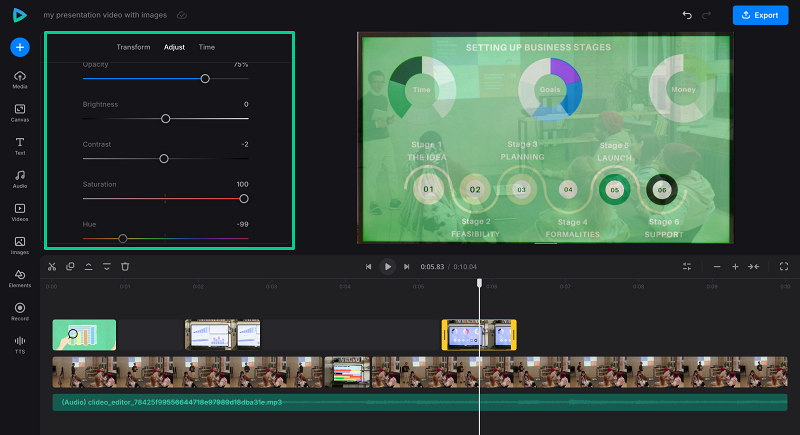
When you are done, click "Export" to process your project and download the MP4 video with the images in it. Clideo allows you to save files in SD, HD, FHD, or 4K quality.
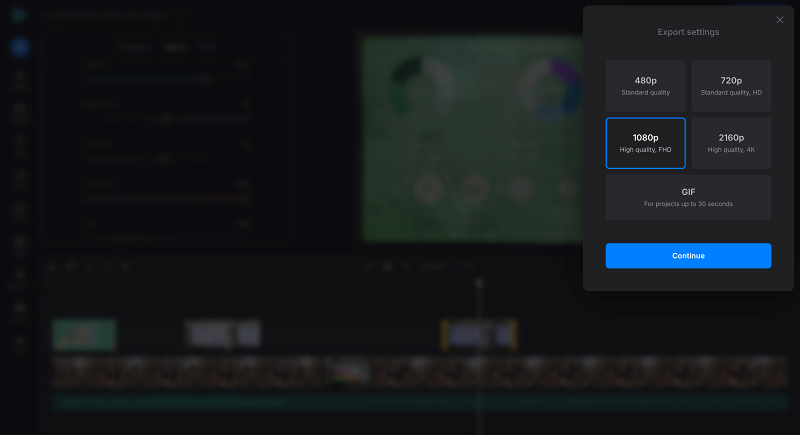
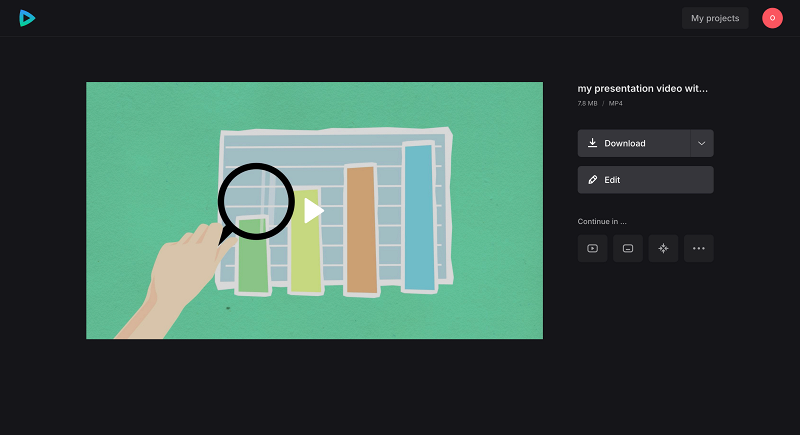
Download the MP4 file if all looks fine. And if you need another format, you can use our video converter to change the output format to the one you need.
 We regularly improve our tools to add new features and enhance your experience. Check our Help Center for the most recent details.
Why choose Clideo's Online Video Editor?
Clideo is a user-friendly online editor trusted by over 5 million users every month. It offers a powerful all-in-one platform that lets you easily split, trim, rotate videos, and add images, photos, and other elements with just a few clicks.
Key benefits of using Clideo include:
- No software installation required; edit videos directly in your browser on any device
- Easy-to-use interface with all video editing tools centralized for quick access
- Support for a wide range of file formats, including video, image, and audio file types
- Access to built-in stock libraries with royalty-free music, sound effects, images, and GIF files
- Ability to add pictures, stickers, and overlays to enhance your videos
- Suitable for beginners and casual creators looking for fast, hassle-free editing
The easiest way to achieve this is to extract the audio track from your original video and edit the visual part separately.
Yes, you can. Clideo's editor lets you add as many images as you want to your video project, all while keeping the original audio track intact.
Yes, you can. You can easily drag the yellow handbars along the video timeline or set the exact duration for which each image appears on screen.
No, adding photos will not remove the original sound as long as the audio track is extracted or added separately.
Yes, you can replace part of the audio in your video. For detailed instructions on how to do this, please refer to our manual here.