Transition Video Editor
Create smooth video transitions between clips with 20+ professional effects
No thanks, continue in browser
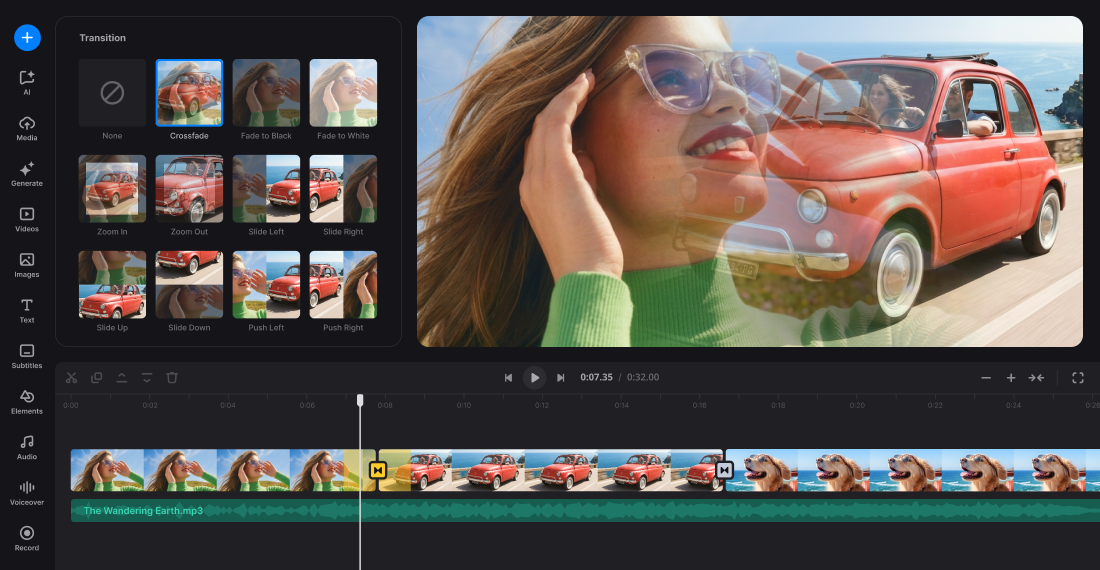
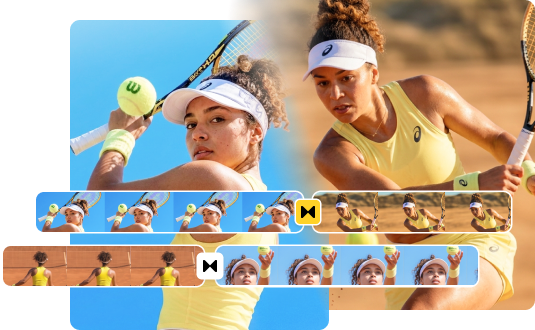
Enhance storytelling with transitions
Access more than 20+ transition effects, from classic fade and dissolve options to creative video transitions like digital glitch, film burn, and RGB split. Add video transitions between video clips, images, and GIFs to connect scenes smoothly and improve the overall impact of your story.
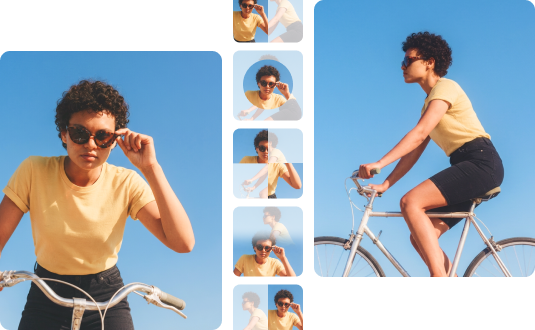

Add transition effects to set the mood
Choose from dynamic or peaceful transitions that set the mood and flow. From quick fades to cinematic dissolves that can signal time passage or a narrative change and shape how a scene will feel, to stylish effects like glitch, our editor with transitions makes your clips seamless and captivating.
Speed up video production
Add transitions with a single click and a real-time preview. No complex keyframes, no powerful computer needed. Maintain a consistent transition style across the entire project and quickly apply a single transition and duration globally.
Browser-Based Tool
No downloads, no installations. Open Clideo's online video editor in your browser and access the full transitions menu with every effect available from the start.
Simple Video Editing
Clean and beginner-friendly interface for all your video editing needs: trim clips, resize, add text, audio, and transitions without complexity.
20+ Transitions Effects
Try various transition effects for different project styles. Choose from basic options like fade and dissolve, or go with more dynamic zoom or RGB split.
Transition Duration
Adjust transition timing to match your content's pacing. Create fast-paced social media videos or slow down for dramatic storytelling.
Real-Time Preview
Preview all transition changes without rendering delays and see exactly how your fade or wipe transition effects will look before export.
Cross-Device Editing
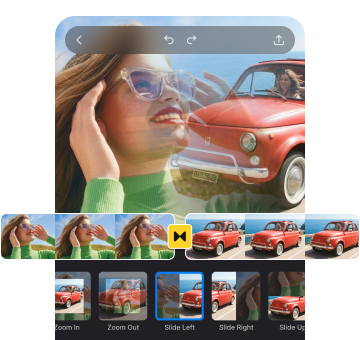
Edit transitions in desktop browsers and continue in the iOS mobile app. With Clideo, projects sync automatically between web and mobile devices.
Frequently Asked Questions
FAQ
A transition video editor is a tool designed to add smooth transition effects between video clips, creating seamless flow rather than abrupt jumps from one shot to the next frame or next scene. Transitions in video editing connect separate footage with fade, dissolve, wipe, or other stylized effects that guide your audience from one scene to another.
Clideo offers 20+ transition effects covering most common styles. Basic options include fade to black/white animations, dissolve, and standard wipes. Dynamic effects include zoom, blur crossfade, whip pan left and right, circle wipe, and soft rotate. For creative projects, stylized transitions like RGB split, flash, and luma fade add distinctive visual energy.
Use 0.5-0.7-second transitions for fast-paced content like Instagram Reels and social media videos, where speed keeps viewers hooked. Apply 1–2-second transitions for dramatic storytelling, emotional scene changes between locations, or contemplative moments where you want the effect to register. The transition duration control in Clideo lets you fine-tune each effect.
Yes. Clideo's "Apply to all" feature lets you set one transition style and duration across every adjacent pair of clips in your project. This ensures professional cohesion and saves significant time compared to applying transitions individually between each pair of videos. After applying globally, you can still customize individual transitions or remove a transition entirely by selecting "None".
Clideo works in mobile browsers on iOS and Android, making the process of adding transitions for videos accessible on almost any device. You can also use a dedicated iOS video editing app that offers the same set of transition effects. Start a project on desktop and continue on mobile - your projects with different transitions sync automatically between devices.
Clideo supports common file formats, including MP4, MOV, AVI, and WebM for transition video editing. You can upload two videos, images, and GIFs from various sources without requiring format conversion. Export finished videos with transitions in HD or 4K quality.
Add sound effects or background music that complement transition timing between two scenes- a swoosh with a whip pan, ambient sound with a crossfade. You can find the sound or track in our Audio library or generate it with AI.
Clideo's all-in-one video editor offers a wide range of editing tools beyond transitions. You can trim, split, and rearrange clips, resize videos for different social media platforms, and add text overlays or subtitles. The editor also lets you add background music or voiceovers, adjust video speed, brightness, and contrast, and generate AI videos, images or music. It works well for YouTube videos and Facebook content, and is a great way to create fun branded clips for video online.
Discover related tools
Get Clideo for iPhone
Download our App to create and manage projects smoothly,
stay synced across all devices anytime.